Team Hub for Home Service Contractors, Every Crew Member Gets Their Own Hub
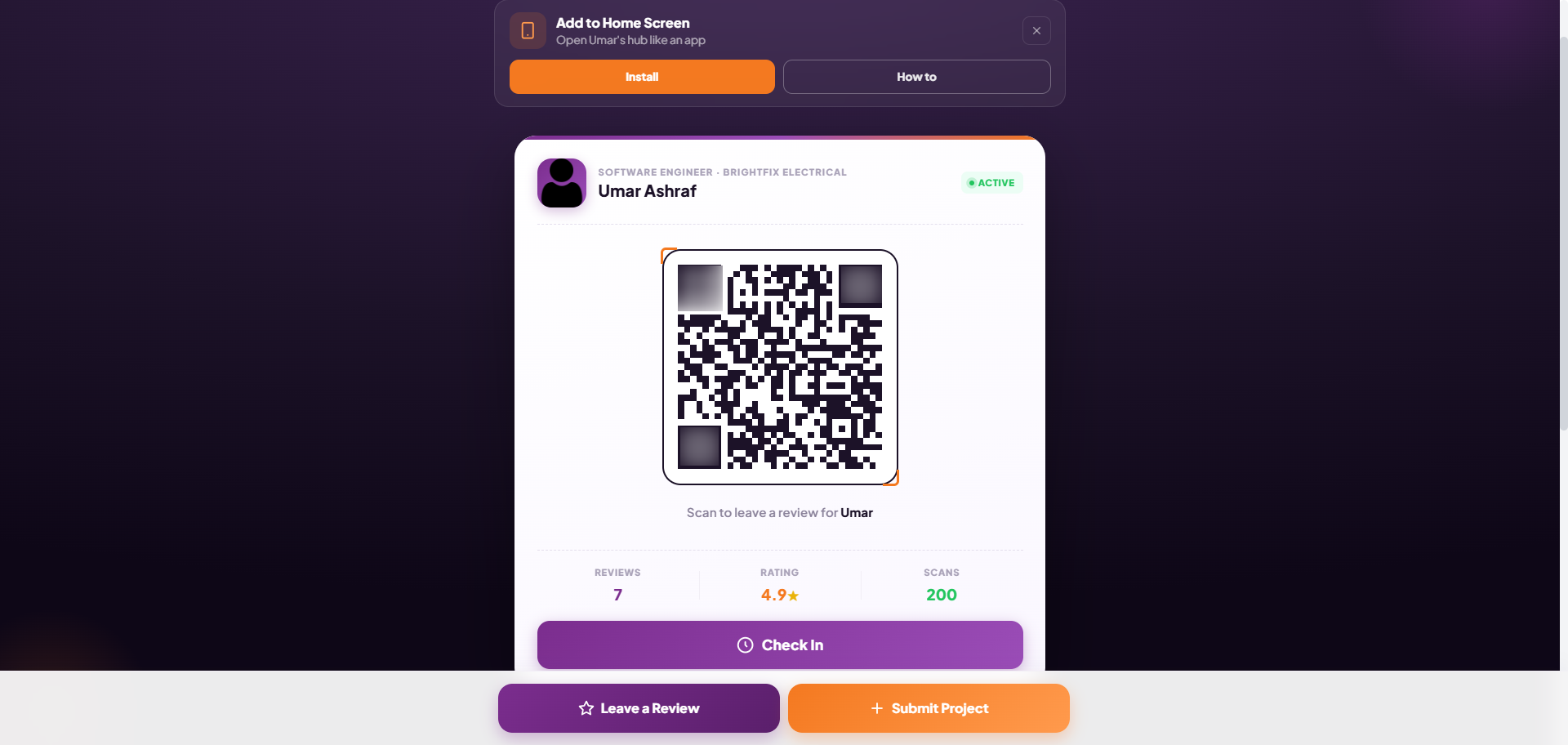
Most review systems rely on office staff to follow up after the job. Sync Reviews puts the tool in the hands of the person who was actually at the job, the crew member who did the work. Their own QR code, their own stats, on their home screen, ready the moment the job wraps.
Why Reviews Stop at the Truck
The problem with most review systems is they require office staff to send a follow-up link hours after the job, when the customer's satisfaction has cooled and life has moved on.
The crew member standing in the customer's driveway at the peak of satisfaction has a 60 to 70% conversion rate on review asks. The office follow-up at 6 PM has 5 to 10%. The Team Hub moves the tool to the moment that matters.
Add a crew member in your dashboard, they get an email, they tap one button, and their personal review hub is installed on their phone's home screen. No training. No app download. No logins. Every job, they pull it up, show the QR, and a review happens.
What every crew member hub includes
Personal review QR code
Each crew member has their own unique QR code. When a customer scans it, the review is attributed to that crew member in your dashboard. You see exactly who is building your reputation.
Project photo submission link
One tap and the crew member is on the project submission page, adding before and after photos, job details, and materials from their phone camera. Portfolio updates automatically.
Installs on their home screen
One tap adds the hub to their phone's home screen as a Progressive Web App. It opens full-screen, works offline, and loads instantly, indistinguishable from a native app. Zero App Store friction.
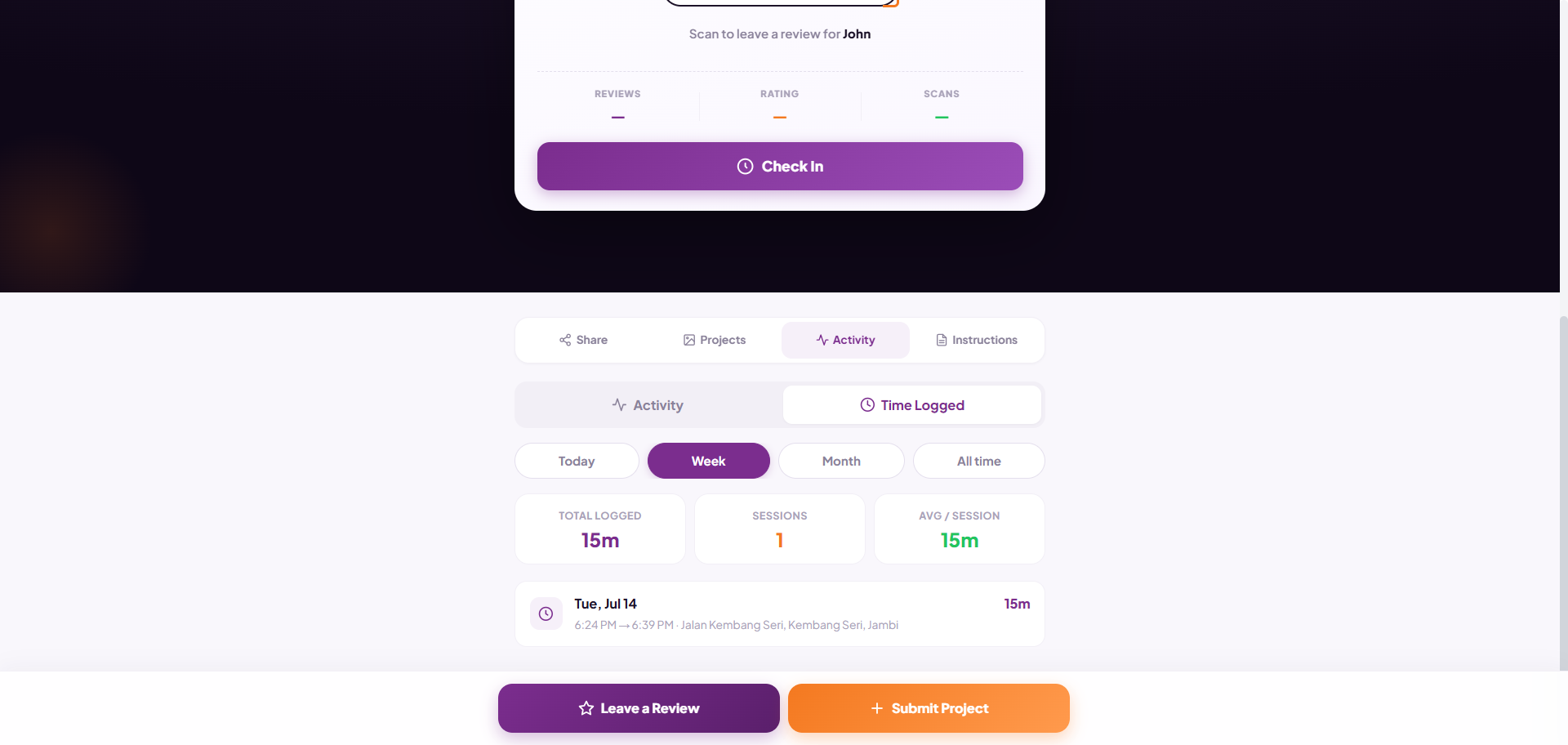
Live review count
The crew member can see how many reviews they have collected in real time. Some crew members will compete for the top spot. That is the point, a leaderboard creates a culture without a single meeting.
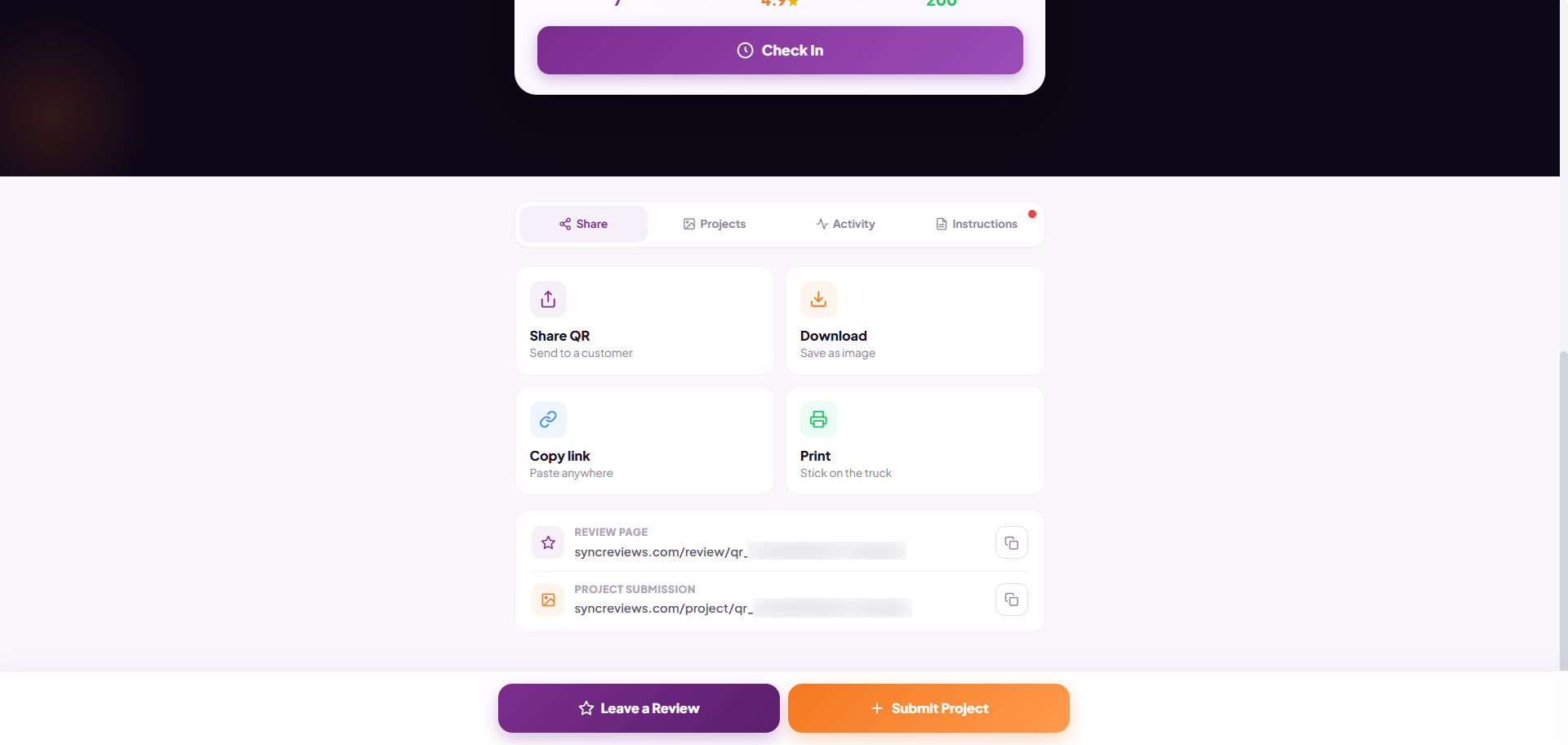
Share, copy, and print their QR
From the hub, crew members can share their QR code via text, copy the link, or download it to print on their own cards. They become their own marketing asset without any help from the office.
No logins for crew members
The hub link is unique to each crew member and requires no password. They tap their bookmark, it opens, they show the QR. That is the entire workflow. Simple enough that it actually gets used.
Set up a crew member hub in 30 seconds
Add the crew member
Enter their name and phone number or email in your Sync Reviews dashboard. Their unique hub is created instantly, with their own QR code and project submission link.
They get a link
They receive a text or email with a link to their personal hub. One tap opens it in their browser. One more tap and it is installed on their home screen.
They use it at every job
Next job, they pull up the hub from their home screen, show the customer the QR, and a review happens in 30 seconds. Every review goes straight to your dashboard, attributed to them.
What happens when the tool is in the crew member's hands
Questions About the Team Hub? Here Are the Answers.
Plain English. No fine print. No marketing dance. Just straight answers about the Sync Reviews Team Hub and how it works for home service contractors.
What is a Team Member Hub?
Does the crew member need to download an app?
How does the crew member get their hub?
Can multiple crew members use the same account?
What do crew members see in their hub?
How do I know which crew member is driving reviews?
What is a Team Hub for contractors?
Why does putting the review tool in crew members' hands increase collection rates?
More From the Sync Reviews Feature Set
Stop losing jobs to contractors with more reviews.
Show your first QR code today. Have proof in your dashboard before tonight. 7 days free, no credit card, no contracts.
Start Free Trial