Contractor Before and After Portfolio App That Builds Itself While Your Crew Works
Your crews already take photos. Before they walk in. After the final piece goes in. Most of those photos die on personal phones, deleted within a month. Sync Reviews captures them, organizes them by job and crew member, and puts the full library on your phone, ready to pull up mid-estimate when the prospect asks 'can you show me some of your work?'
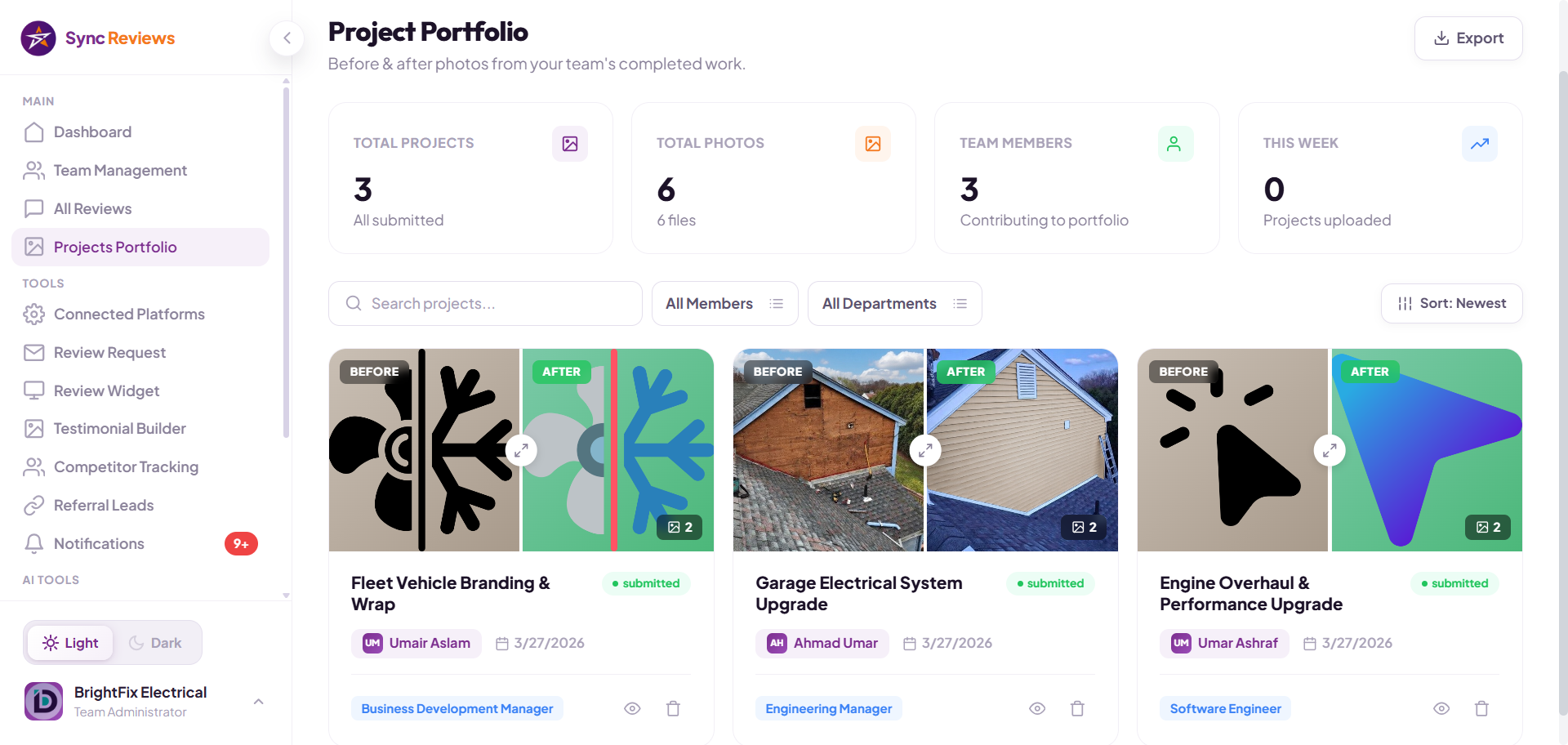
The Question Every Contractor Dreads: "Can You Show Me Your Work?"
Most contractors have no answer. The good photos are buried across crew members' camera rolls, lost in group chats, scattered through old Instagram posts that stopped updating two years ago. When a prospect asks to see work samples, you fumble through a phone, show the same three jobs from last spring, and hope it is enough.
It is not. The prospect calls another contractor who pulls out a phone with 60 organized before and after transformations from the last 90 days. That contractor gets the job. You get no call back.
The portfolio problem is not that you do not have the work. It is that the work is not organized, searchable, or quickly shareable. That is the problem Sync Reviews solves, without you ever touching a photo.
What a portfolio that builds itself looks like
Each crew member gets their own submission link
When you add a crew member to Sync Reviews, they receive a private project submission link, the same link every time. They use it on every job to upload the before and after photos. No new link per job, no logins, no tagging. The link handles the organization for them.
Organized automatically by job, crew, and date
Every photo pair is stored with metadata, which crew member uploaded it, which date, which job. Browse your portfolio by person, by month, or by most recent. Everything is searchable.
Pull up 30 projects on your phone during an estimate
The prospect asks to see your work. You open Sync Reviews on your phone, show a live before and after slider reel from the last 90 days. Conversation changes immediately. This is the single biggest close-rate lever most contractors miss.
Unlimited photos on every plan
No per-photo fees. No cap. Upload as much as your crews can shoot. Storage is included at every tier.
One-click download with AI caption
Any photo pair can be downloaded with a pre-written social caption in one click. Post to Facebook or Instagram without writing anything.
Photos stay yours if the crew member leaves
Same as video reviews, if a crew member moves on, the portfolio entries they contributed stay in your account. You keep the asset they helped build.
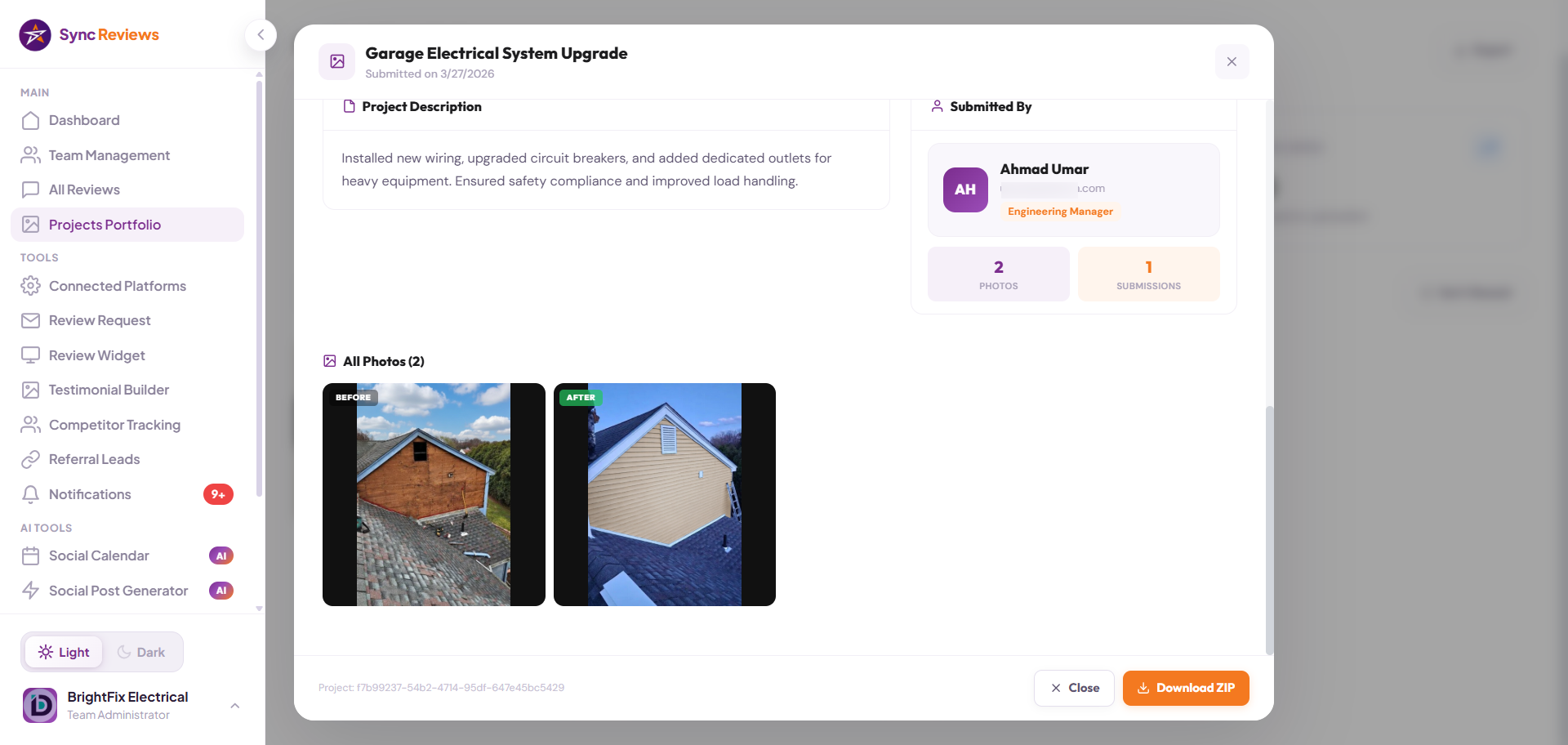
Three steps per job. Zero admin for you.
Before
Crew arrives. Takes a before photo of the space, the weed-choked yard, the dated bathroom, the unpainted room. Opens their personal project submission link from Sync Reviews and uploads it. Same link every time.
After
Job is done. The crew takes an after photo from the same angle, uploads through the same link. Sync Reviews pairs the before and after automatically and tags it to the crew member.
Use
A photo pair appears in your portfolio, tagged to the crew member. Share to social in one click, embed on your website widget, or pull up during the next estimate.
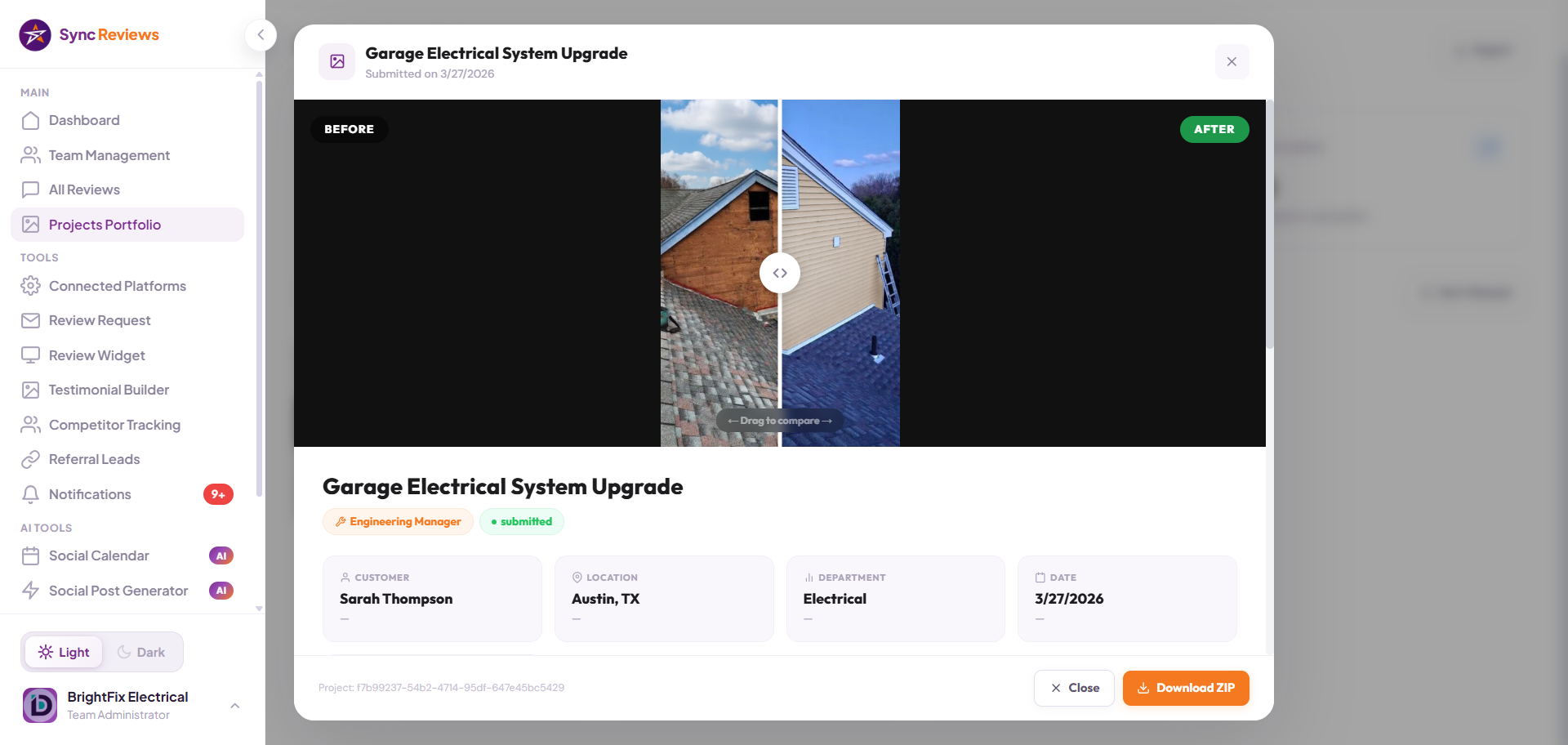
Portfolio Math, What 90 Days Actually Produces
Questions About the Before and After Portfolio? Here Are the Answers.
Plain English. No fine print. No marketing dance. Just straight answers about the Sync Reviews portfolio app and how it works for home service contractors.
How do crews upload the before and after photos?
Is there a limit on how many photos I can upload?
Can I use the photos on my website?
Who owns the photos?
Can we add captions or descriptions to each project?
What is a contractor portfolio app?
How does a before and after portfolio help contractors win more estimates?
More From the Sync Reviews Feature Set
Stop losing jobs to contractors with more reviews.
Show your first QR code today. Have proof in your dashboard before tonight. 7 days free, no credit card, no contracts.
Start Free Trial