
How to Ask for a Review So Customers Actually Say Yes
Knowing how to ask for a review feels uncomfortable, but 76% of customers say yes when asked. The right timing, a direct link, and one follow-up make all the difference.
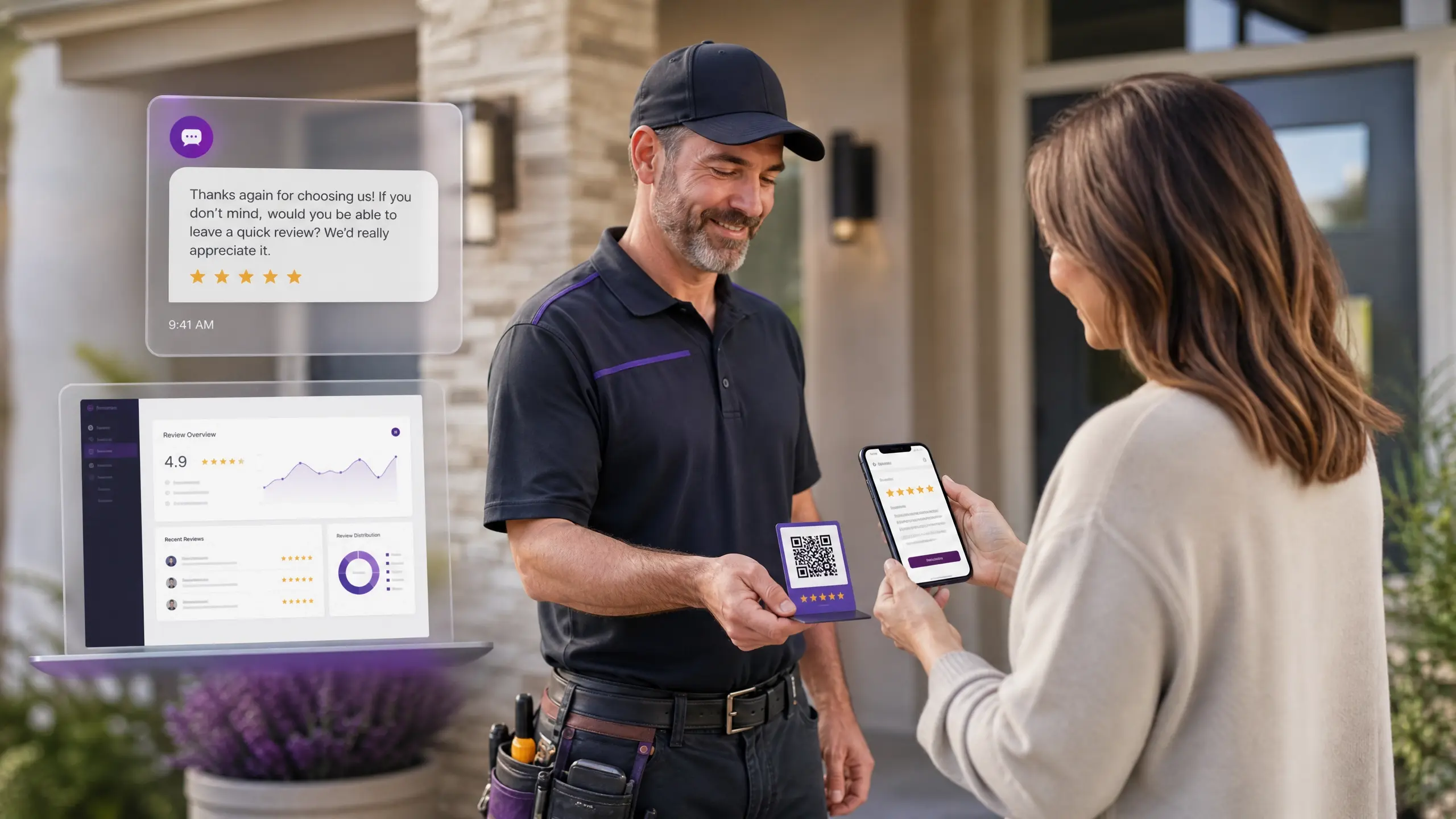
Asking for a review feels awkward for most contractors. It shouldn't. Data from Bright Local shows that 76% of customers who are asked for a review actually leave one. The problem isn't that customers refuse. It's that most home service businesses never ask, or they ask the wrong way at the wrong time.
This guide breaks down how to ask for a review across every channel: in person, Google, SMS, email, and automation. You'll get proven scripts, a channel comparison table, and the mistakes that quietly kill response rates. But you will learn how SyncReviews manages to convert all this into a system.
When Is the Best Time to Ask for a Review?
Timing is more important than the actual script you use to make your request.
The ideal time to ask is immediately after the work has been completed, while the customer is still able to appreciate the result of what you have accomplished. A freshly mowed lawn, a fixed roof or a renovated bathroom provide you with a limited opportunity to make your request. And when you do it during this period, you are much more likely to be successful than if you ask later on.
Rule of thumb: build the ask into the job completion process itself, not into a follow-up task you remember three days later.
How to Ask for a Review In Person (With Scripts)
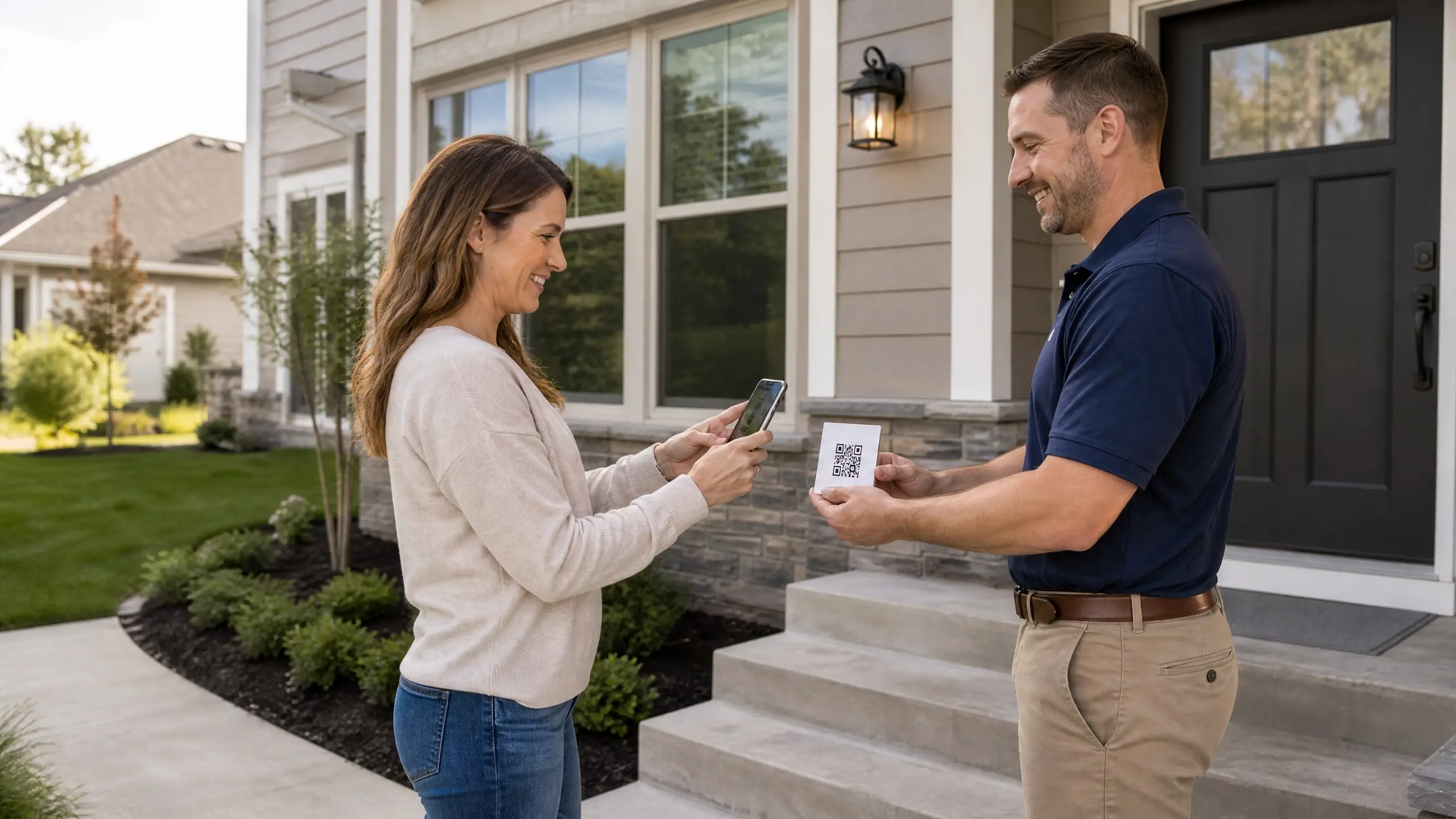
Asking a client for a review face to face gets the highest yes rate of any channel, because there's no link to lose and no email to ignore. Keep the request short and frame it around helping other homeowners, not helping your business.
Script 1: The direct ask: "Thank you so much for being a loyal customer. It means so much to us and will help others if you could give us a quick Google review if you liked the job."
Script 2: Riding off compliments Customer: "This is great, we love it." You: "That's awesome to hear. Would you mind taking a couple of minutes and posting a Google review? It would be so helpful for us and would take about two minutes."
Script 3: Handing off a QR code for Google reviews "Here is our QR code for Google reviews. This will only take a couple of minutes."
Tools like SyncReviews let you generate and hand out this QR code automatically after every job, so the ask never depends on someone remembering to bring it along.
Don't ask mid-job, and don't ask before the customer has actually seen the finished result. The request should come from the same conversation where they're already pleased with the work, not from a script that feels rehearsed.
How to Ask for a Review Without Being Pushy
The problem most contractors have in this situation is that "ask for a review" might sound like asking for a favor one hasn't earned yet. The answer to the problem lies not in avoidance, but in rephrasing.
The request has to be short, sincere, and focused on helping the next customer, not on helping the business itself. At the slightest mention of the business' benefit from the action, the request will turn into a sales pitch; the slightest mention of someone else's benefit will turn the request into a worthy deed.
Good phrases:
"A short review will help other homeowners in the area find a reliable contractor."
"Just a couple minutes will go a long way for a small business like ours."
"In case you were satisfied with the work done, a review will be a great help."
Phrase to avoid: "Leave us a five-star review". Any requests for specific star rating are not only unwelcome from the customer's point of view, but also breach Google's review policy (see below).
How to Ask for a Review on Google the Right Way
Google review is the one that matters the most in local SEO since Google's algorithm for local rankings takes into
To ask for a Google review correctly:
Generate your direct Google Business Profile review link (not a link to your homepage or general listing).
Shorten it so it's easy to type, text, or scan.
Share the same link everywhere: SMS, email, printed QR codes, invoices.
Never make a customer search for your business manually. Every extra click cuts your response rate. If getting the review takes more than one or two taps, most customers won't finish.
For the technical aspects behind how Google reviews boost local search results, check out our complete guide to getting more Google reviews for your business.
How to Request a Review Through SMS (With Sample Texts)
SMS has the highest open rate of all review request channels. Text messages are usually opened within three minutes of receiving them, making SMS the quickest way to reach out to customers while their experience is still fresh in their minds.
Keep the message short: Name, a line of gratitude, and a link. Send it a few hours after the service, not the next day.
SMS Message 1: "Hi [Name], thank you for choosing us today. If you were satisfied with the service we provided, we would be grateful if you left a Google review: [link]. It only takes a minute."
SMS Message 2: "Hi [Name], your [service] is completed. If you got a moment, please provide us with a Google review: [link]. Thank you for your business."
SMS Message 3: Follow-Up Message "Hi [Name], this is a follow-up message to our previous text. If you find 60 seconds, please consider leaving us a Google review here: [link]."
A second request for a review is good enough. Any more than that, and you should move on; requests that keep coming come off as nagging.
How to Ask for a Review Through Email (with Templates)
Email is the right choice after big projects, when the client needs time to mull over the outcome before penning their thoughts.
It also gives you room for a logo, a direct link, and a slightly warmer tone than SMS allows.
Keep the subject line short and the body shorter.
Subject line options:
"Quick favor if you have a minute"
"How did we do?"
"Your feedback means a lot to us"
Email Template 1: Short and simple
Hi [Name],
Thank you for letting us take care of your [service]. It was a pleasure working with you.
If you have a couple of minutes, a short review on Google would go a long way in helping other homeowners in the area find a contractor they can trust: [link]
Thanks again, [Your Name]
Email Template 2: After a larger project
Hi [Name],
We had a lot of fun working on your [project type], and we hope you're satisfied with how everything turned out!
If you've got a second, we would appreciate a review on Google to help future clients understand exactly what they'll get: [link]
Thanks, [Your Name]
How to Ask Your Customers for a Review on All Channels
Not all customers will respond to the same channels, so an effective review request should include multiple channels.
Channel | Best For | Typical Response Speed | Notes |
In person | Highest yes rate overall | Immediate | Best right after the customer sees the finished job |
QR code | Zero-friction, no typing | Immediate to same-day | Works on invoices, job cards, truck magnets |
SMS | Fastest open rate | Within minutes | Send a few hours after job completion |
Larger or higher-ticket projects | Same day to a few days | Gives the customer time to write something detailed | |
Video review | Builds the most trust with new customers | Varies | Best captured on-site via mobile, before the customer leaves |
Test two or three of these on different jobs and track which one your customer base actually responds to. Once you know, automate it so it happens on every job, not just the ones you remember to follow up on.
How to Ask a Client for a Review Using Automation
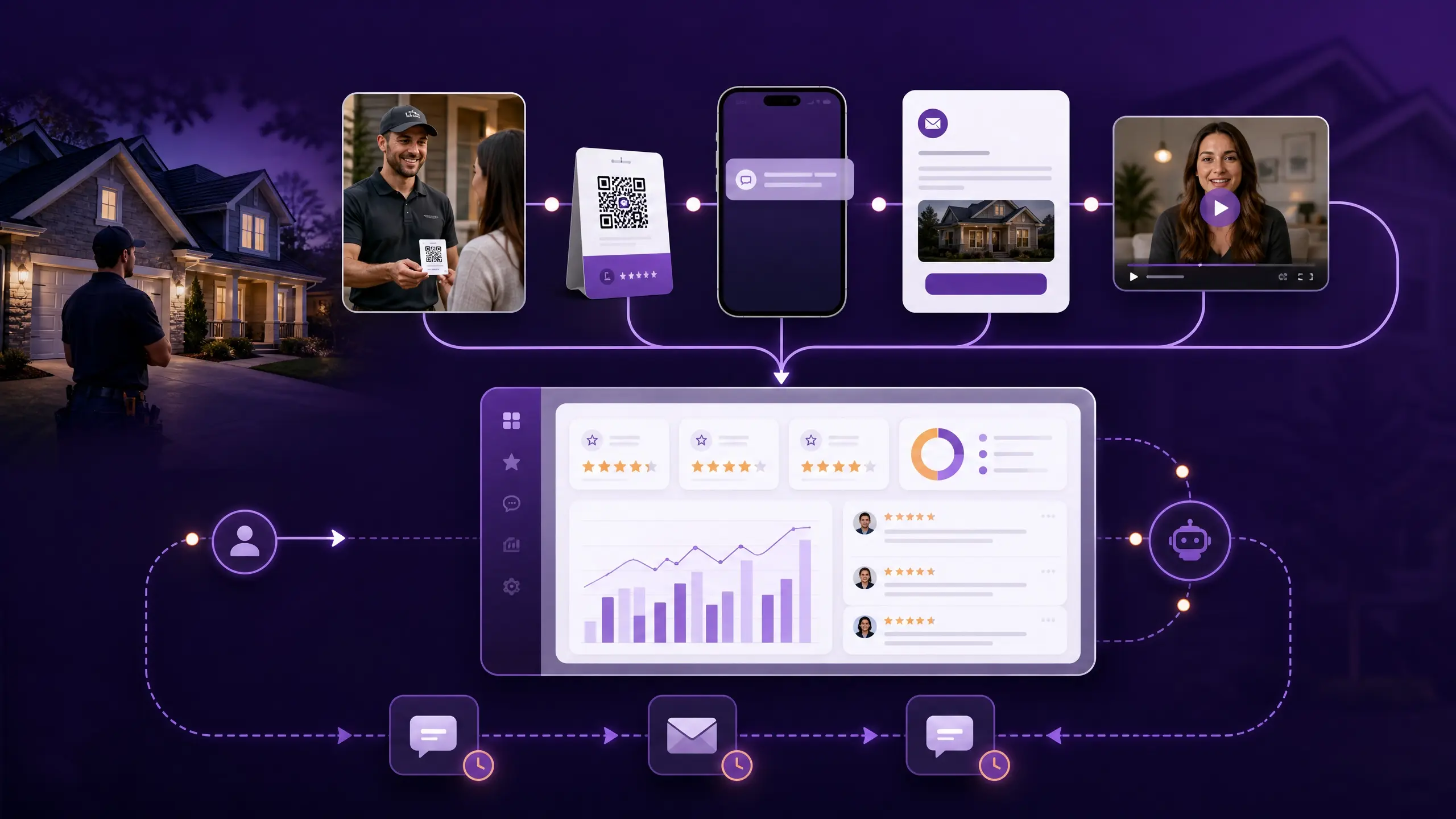
Manually asking every client is exhausting, and it's the first thing to slip during a busy week. Automation removes the dependency on memory entirely.
SyncReviews sends review requests automatically once a job is marked complete, by email or on-site QR code, and follows up if there's no response. Every request is logged in one dashboard, so you can see exactly who's been asked, who's responded, and who's due for a reminder.
That means the ask happens on every job, every time, without anyone on your team having to remember to do it.
Things You Should Not Do When Asking for Reviews
Don't offer incentives. Google and the FTC both prohibit incentivized reviews, whether that's a discount, gift card, or free service. Offering anything in exchange disqualifies the review even if it's completely honest.
Never ask for a five-star review directly. By asking the client to give you a star rating rather than his honest opinion, you violate Google's guidelines regarding the reviews. Ask for an evaluation of your performance rather than a numerical rating.
Do not make the client go through hoops to provide a rating. In case the client needs to spend extra time searching for your business, creating an account and finding the right platform, he will just give up on it. Always use a direct link to your page.
Do not wait for long. An email you send to the client a week after you've completed the task is less likely to yield results than the one you sent that same day. Make writing a review part of job completion rather than additional tasks.
Do not ignore negative reviews. By responding to the review calmly and specifying the exact problem, you can solve it faster than you would have without an answer.
How to Ask for a Business Review That Will Build Customer Trust Quickly
A good review request does much more than get a star rating; it determines the content of the reviews. Encourage your clients to write something
Example prompt: "If you write a review, it helps a lot if you mention the service we provided and how long it took. That gives other homeowners a clear idea of what to expect."
What to Do After You Get a Review
Getting the review is half the job. The response is the other half.
Reply within 24 to 48 hours, thanking the reviewer by their name, and include one particular point made by the reviewer.
If the review is positive: "Thank you for your kind review! We were happy to work on your project, and are glad that you are satisfied with the results."
If the review is negative: "Thank you for telling us about your concerns. We are very sorry that the project did not live up to your expectations."
A professional response demonstrates to potential future customers that you value customer feedback, as well as Google using the speed of your reply in calculating your local business search ranking.
Conclusion
Requesting a review boils down to timing, availability, and follow-through more than language. Request it straightaway after the job is completed when the goodwill is still warm, provide a direct link so that there will be zero resistance, check back only once if required, and reply to all the reviews you receive.
Combine that with SyncReviews, and the follow-up becomes automatic for all jobs, thereby increasing your number of reviews automatically.
Want to stop losing jobs to contractors with more reviews?
Start your 7-day free trial. Show your first QR code today. Have proof in your dashboard before tonight.
Start Free TrialFrequently asked questions
Keep it short, friendly, and focused on the customer. Frame the ask around helping other homeowners find reliable contractors, not around promoting your business. A simple message right after the job, paired with a direct link, works better than a long emotional appeal.

Stop losing jobs to contractors
with more reviews.
Show your first QR code today. Have proof in your dashboard
before tonight. 7 days free, no credit card, no contracts.